
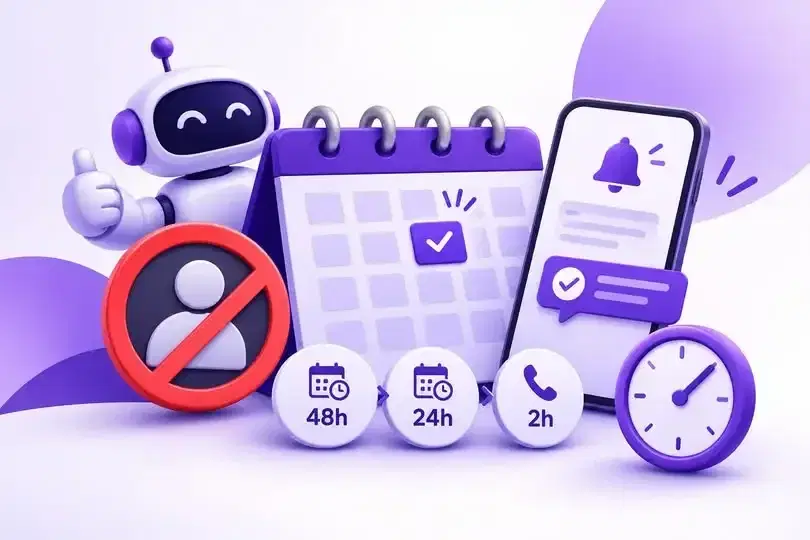
TL;DR: No-shows have four causes: forgetting, schedule conflicts, low commitment, and cost worry. Each needs its own fix. Send reminders at 48 hours, 24 hours, and 2 hours. Ask for a reply to confirm. Put a card on file. Use automated voice follow-ups for anyone who stays silent. Track no-show rate, confirmation rate, and rebook rate weekly against a baseline you record first.
How do you reduce no-shows?
Match each cause to a specific fix. A forgotten appointment needs a timed reminder. A schedule conflict needs an easy way to reschedule. Low commitment needs a confirmation step. Cost worry needs a conversation before the slot goes empty.
This guide covers the cost of a no-show, the four causes, reminder timing, confirmation steps, voice follow-ups, compliance, and a 30-day rollout.
What does a no-show cost a service business?
A no-show costs the full value of the slot, plus the travel and prep that already happened.
For example, an HVAC business that bills $150 per hour and books 2-hour jobs. Each empty slot costs $300. Ten no-shows a month is $3,000, or $36,000 a year, before fuel and idle tech time.
Run your own numbers: hourly rate × job length × monthly no-shows. That figure is your baseline, and it tells you how much a fix is worth paying for.
Why do customers no-show?
Four causes explain most no-shows:
Forgetting. The booking was days ago and slipped out of mind.
Schedule conflict. Something came up, and your job lost.
Low commitment. Booking took 30 seconds and canceling takes one tap.
Cost worry. The customer felt unsure about the quote and ghosted instead of calling, or found a cheaper provider.
“Send a reminder 24 hours before” only fixes the first cause. The other three need different tools.
Which fix matches which cause?
Root cause | Best fix | Wasted effort |
Forgot the appointment | Reminders at 48, 24, and 2 hours | Deposits or booking friction |
Schedule conflict | A reschedule link in every reminder | Guilt-based messaging |
Low commitment | A confirmation reply plus a card on file | More reminder texts |
Cost worry | A quick follow-up call that addresses price | A slow quote turnaround |
Examples by trade:
HVAC: Many slots are lost before the appointment exists. A customer calls at 7 pm, hits voicemail, and books with the next Google listing. The fix is call coverage so they book on the first call. Our guide to small business call answering services covers how that works.
Dental: Repeat no-shows are usually a commitment problem. A two-way text (“Reply Y to keep your cleaning”) plus a card on file makes the patient take a small action to hold the slot.
Auto repair: Lost quoted jobs look like no-shows but are cost worry. Answer every call, quote the same day, and follow up within an hour.
What reminder timing works best?
Use three touches:
48 hours: Gives the customer time to reschedule, which protects your calendar.
24 hours: Catches people who forgot and leaves time to backfill the slot the same day.
2 hours: Confirms the customer is on the way.
The best public evidence comes from healthcare. A 2013 Cochrane review pooled 7 trials with 5,841 participants. Attendance rose from 67.8% with no reminder to 77.3% with a text reminder. In 3 trials with 2,509 participants, text reminders had a similar effect to phone call reminders, and 2 studies found texts cost less per attendance.
The trials come from clinics, not service trades. The review rates the evidence for the text-versus-no-reminder result as moderate quality, and it is more than a decade old. Use the numbers as a guide and measure your own results.
Keep each message to one line: date, time, address, and a reply prompt like “Reply C to confirm.” Use texts at 48 and 24 hours. Use voice at 2 hours, where a call can collect a spoken yes or no and offer a new time on the spot. If a customer no-shows twice, switch them to voice-only reminders.
How do confirmations and cards on file increase commitment?
A booking that took no effort is easy to abandon. A booking the customer confirmed with a reply took a small decision, which makes follow-through more likely.
Silence tells you nothing. If a customer doesn’t answer “Reply C to confirm,” treat the slot as unconfirmed and call them the same day. The call also reaches people who ignore texts.
A card on file gives customers a financial reason to reschedule instead of vanishing. Explain it at booking with a short script: “We hold a card to keep your slot, and we only charge it for same-day cancellations.”
Start with a modest same-day cancellation fee before asking for deposits. Apply it first to the slots that no-show most, like Monday mornings or same-week bookings. Expand only once the data shows it works and isn’t costing you new customers.
How do automated voice follow-ups fill the gaps?
Your techs are under a sink, and your front desk is one person. Reminder calls get dropped first, and dropped reminders become empty slots.
An AI phone agent makes the call whether or not your staff is free. It:
Calls each customer 24 to 48 hours out
Confirms the appointment in the customer’s own words
Flags anyone who can’t make it
Offers open times and rebooks on the spot when someone cancels
Hands off to a person when the customer asks for one
You get a short list of at-risk slots instead of a voicemail box full of silence. A cancellation becomes a rebook instead of a hole in the schedule.
Customer data passes through these calls, so ask any vendor how it connects to your calendar and CRM. Chatley AI explains its approach in its guide to MCP security.
How do you keep after-hours bookings accurate?
A wrong booking creates a future no-show. An AI receptionist that answers 100% of calls but books the wrong address or service window sends a tech to the wrong place.
The agent should read back the service, address, and time before the call ends, and ask for confirmation once, in one sentence.
Routine appointments book automatically. Ambiguous requests, upset callers, and quotes with unknown scope go to a human callback first thing the next morning.
Test it yourself. Call after hours, book a job, and check that the service, address, and time land correctly in your calendar. Repeat after any change to services or hours.
What do the rules say about automated texts and calls?
In the United States, the Telephone Consumer Protection Act (TCPA) applies. In February 2024, the FCC issued a Declaratory Ruling (FCC 24-17) confirming that calls using AI-generated voices count as artificial or prerecorded voice calls under the TCPA. That means the caller needs the recipient’s prior express consent in most situations. Calls that include marketing need a stricter form of consent, before express written consent.
Practical steps:
Collect consent at booking. Tell the customer they will get appointment reminders by text and automated call.
Offer an easy opt-out, like replying STOP.
Keep a record of when and how each customer agreed.
Keep reminder messages to the appointment itself. Add no offers or promotions.
Rules vary by country and message type. Confirm details with a lawyer before launch.
Why use Chatley AI for no-show reduction?
Chatley AI answers missed calls, books into your calendar, and handles confirmation and follow-up calls. It hands the call to a person when a customer wants one.
Use four questions to judge any tool, including ours:
Does it answer every missed call?
Does it book into your real calendar?
Does it send confirmations and reminders?
Does it hand off to a human when a caller gets complicated?
A cheap tool that books the wrong slot costs more than a pricier one that books accurately. Our comparison of top conversational AI platforms lays out how the main options differ on these points.
Pricing and limits: Chatley AI plans start at $79 per month (Pro) with 200 included minutes, 1 phone number, and 3 concurrent calls. Elevate is $179 per month with 650 minutes. Premium is $349 per month with 1,400 minutes. All plans include a free trial, and you can add extra minutes as add-ons. Check current tiers on the pricing page.
The main limit is the minute cap. At 2 minutes per confirmation call, 200 minutes covers about 100 calls a month. A shop confirming 200 appointments by voice needs a higher tier or add-on minutes. Voice quality can also vary with strong accents or noisy job sites, so test it with your real callers before you commit.
How do you measure whether it’s working?
Track three numbers weekly:
No-show rate: missed appointments ÷ booked appointments
Confirmation rate: appointments confirmed by a live reply ÷ appointments booked (not just messages sent)
Rebook rate: cancellations and no-shows that book a new time ÷ total cancellations and no-shows
Also log after-hours calls that became booked jobs. A caller who hangs up before booking is a leak.
30-day rollout:
Week 1: Record your baseline no-show and confirmation rates.
Week 2: Set the 48-hour, 24-hour, and 2-hour reminders and add the confirmation reply.
Week 3: Turn on automated voice follow-ups for unconfirmed bookings.
Week 4: Compare every number against baseline. Look at which time slots and customer types still miss, keep what moved the numbers, and tighten timing on the rest.
Cut no-shows without adding front desk hours
Chatley AI answers every call, confirms appointments, and rebooks cancellations around the clock.