
TL;DR
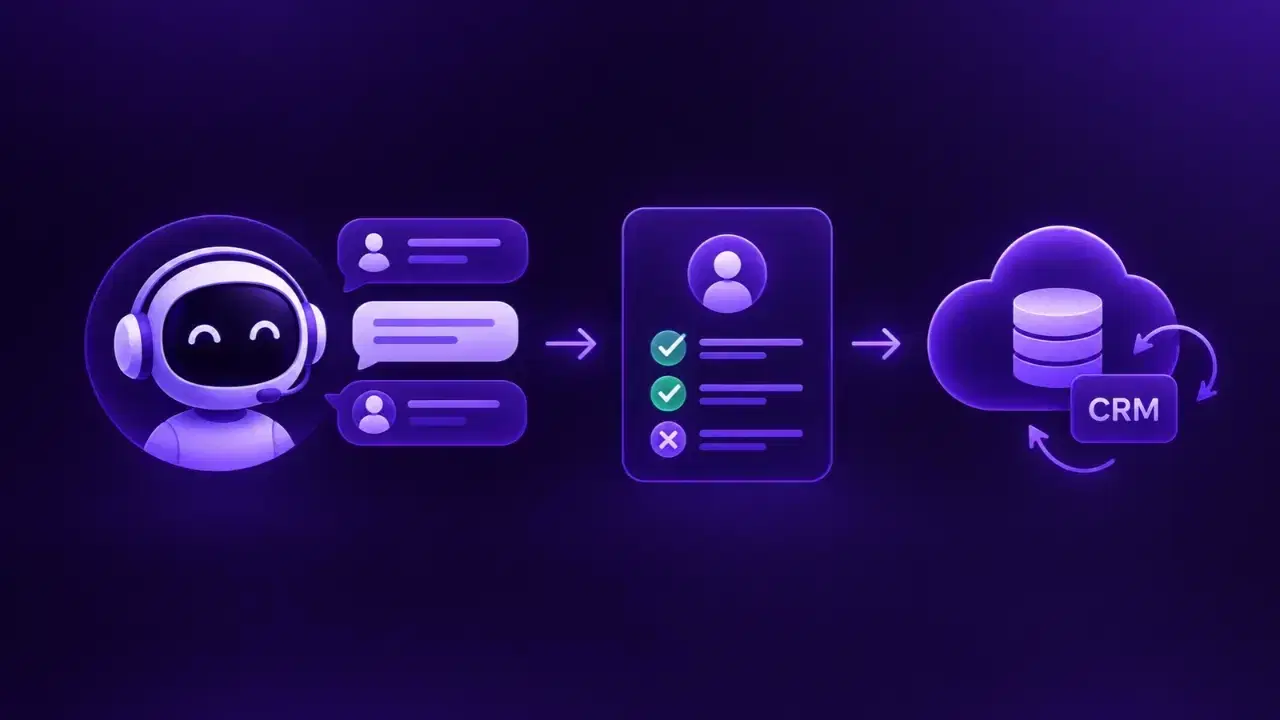
Conversational AI converts an inbound call, chat, or text into a structured lead by capturing the inquiry, detecting intent, asking qualification questions, evaluating fit, scoring the lead, and routing it.
A CRM integration maps the answers to CRM fields, matches existing contacts to prevent duplicates, logs a conversation summary, and triggers follow-up tasks.
Incomplete lead data, duplicate records, failed syncs, and inaccurate qualification are the most common failure points, and each has a specific fix.
Sales outcomes such as sales-qualified lead rate, CRM sync success rate, speed to lead, and lead-to-customer conversion show whether the workflow works.
Conversational AI turns an inbound call, chat, or text message into a structured lead record. An AI agent answers the inquiry, identifies what the prospect wants, asks qualification questions, and sends the results to a customer relationship management (CRM) system where a sales representative can act on them.
Conversational AI qualifies inbound leads by capturing an inquiry, identifying intent, asking business-specific questions, evaluating fit and readiness, scoring and routing the lead, then syncing the conversation and next action to the CRM.
A captured conversation becomes a qualified lead only after the business evaluates the prospect's need and fit against its own criteria. A working setup therefore contains 3 linked processes. Conversational lead capture collects the inquiry. AI-powered qualification evaluates it. CRM synchronization delivers the result to the people responsible for follow-up. Done well, this organizes inbound leads, ranks them by priority, and removes manual data entry.
Capabilities vary by provider. Channel handling, predictive lead scoring, transcript or recording attachment, and native CRM connectors are optional capabilities that some platforms offer, and others do not, so verify each one with your provider and configuration before committing to a workflow.
What is conversational AI lead qualification?
Conversational AI lead qualification uses AI-driven conversations to gather information from a prospect and compare it with the sales criteria a business has defined. Instead of asking every prospect to complete a long web form, an AI agent asks relevant questions during a phone call, website chat, or SMS thread. It extracts the answers, flags buying signals, and organizes everything for the sales team.
Academic research supports the idea that conversational language carries information about buying intent. In a 2026 study in the International Journal of Research in Marketing, Valerie Good, Abhi Bhattacharya, Bryan W. Hochstein, and Clay M. Voorhees combined a qualitative survey of sales managers with a predictive text analysis of online chats from the auto industry, then replicated the findings with furniture purchases. They propose a framework called MINITS, which covers mode of contact, immediacy, need, interest, time spent chatting, and specificity, and they report that these cues together explain meaningful variance in sales outcomes. The study covers B2C purchases in 2 industries and was designed to help human salespeople qualify leads, so applying MINITS to B2B sales or fully automated conversations goes beyond what the authors tested.
A conversational AI platform can capture the same kinds of signals, such as how specific a request is, how urgent it sounds, and how long the prospect stays in the conversation. The platform then compares those signals with the business's qualification criteria.
How conversational AI qualifies inbound leads
Qualification follows 6 steps that turn an initial inquiry into a lead a sales or service team can act on.
1. Capture leads from calls, chat, and SMS
The process starts when a prospect contacts the business. Channel handling is an optional capability. Depending on the provider and configuration, a platform may handle inbound calls, website chat, SMS, or a subset of those channels. Where voice is supported, an AI voice agent answers the call. Where web chat or SMS is supported, an agent responds to the website visitor or the text message.
During the interaction, the platform records whatever it can collect.
Name and contact details
Inquiry source and channel
Product or service requested
Stated needs and customer questions
Conversation history and timestamp
A homeowner who calls an HVAC company about a broken air conditioner shows how this works. The agent answers, then asks about the problem, the location, and the service wanted. Those answers form the basis for the qualification questions and for the action the platform takes next.
2. Identify intent and customer needs
The AI analyzes the conversation to determine why the prospect made contact. Common intents include requesting a quote, booking an appointment, asking about pricing, requesting a product demonstration, and seeking customer support. Intent classification selects the workflow that follows.
Two people contacting a software company illustrate the difference. One asks for a product demo and represents a sales opportunity. The other needs help with an existing subscription and belongs with customer support. The platform routes each inquiry by its purpose, so a support request never enters the sales pipeline as a new lead. The AI also identifies follow-up questions that clarify requirements, such as the number of users for a software demo or the age of the unit for a repair request.
3. Ask qualification questions
After identifying intent, the AI asks questions that show if the business meets the need. The questions should follow the company's sales process and its target customer profile.
Qualification factor | Example question |
Need | What problem are you trying to solve? |
Budget | Do you have a budget range in mind? |
Timeline | When are you looking to get started? |
Customer fit | What industry or service area are you in? |
Decision authority | Are you involved in choosing the solution? |
Next step | Would you like a demo, quote, or appointment? |
Not every business needs every field. A B2B software company may focus on company size, use case, budget, and purchasing timeline, while a home services company prioritizes location, job type, and urgency. When a prospect declines to give a budget, the platform leaves the field blank and records the answer as unknown. That unknown status then feeds the evaluation in the next step.
4. Evaluate lead fit and buying readiness
Once the required answers are in, the AI compares them with the business's qualification rules. B2B sales teams often use the BANT framework, which stands for budget (can the prospect afford the solution), authority (does the prospect influence or make the purchase decision), need (does the product address the problem), and timeline (when does the prospect plan to buy). Businesses adapt these criteria to their industry. A software company might qualify a prospect who matches its target market, has a clear business need, and plans to evaluate solutions within the quarter. A local service provider might qualify anyone who needs an offered service inside its coverage area.
The platform then assigns a status.
Status | Meaning |
Qualified | Meets the required criteria |
Needs review | Has incomplete or ambiguous information |
Nurture | Fits the target audience but is not ready to buy |
Disqualified | Fails a mandatory requirement |
These labels follow the company's own definitions. Expressed interest alone does not justify the qualified label.
5. Score and prioritize leads
Lead scoring ranks prospects so the team knows whom to contact first. A platform assigns points for customer fit, buying intent, urgency, and other signals, using fixed rules or, where the platform offers predictive scoring as an optional capability, models trained on historical CRM data.
In a 2025 case study in Frontiers in Artificial Intelligence, González-Flores, Rubiano-Moreno, and Sosa-Gómez evaluated 15 classification algorithms on real CRM lead data from a B2B software company in product design and manufacturing. The data covered January 2020 to April 2024, and the raw export held 23,154 records that cleaning reduced to 16,600 records with 22 fields. The authors split the records 70/30 for training and testing and predicted whether a lead became a qualified opportunity. In their model comparison, the Gradient Boosting Classifier reached 98.39% average accuracy, an AUC of 0.9891, 95.86% recall, and 91.06% precision. Logistic regression followed at 98.18% accuracy and an AUC of 0.9775. A dummy classifier that always predicts the majority class scored 88.16% accuracy with an AUC of 0.5, so accuracy alone overstates performance on this imbalanced target. Lead source and lead status were among the features that most improved conversion prediction, and the authors describe the model as substantially better at identifying high-quality leads than the company's traditional methods. The authors report no figure for that comparison. The data comes from a single technology company, and the model's effect on actual conversion rates was still being evaluated when the paper was written because the company's sales cycle averages about 3 months. The results therefore show what CRM history can support and do not establish performance for other businesses.
The model below is illustrative and is not a validated benchmark. A business could test a 100-point model like this one, then calibrate the weights against its own conversion data.
Signal | Points |
Matches the target customer profile | +25 |
Has a clear business need | +25 |
Plans to purchase within 30 days | +20 |
Meets budget requirements | +20 |
Provides verified contact details | +10 |
Maximum score | 100 |
Under this example, a lead scoring 85 might receive priority routing, while a lead scoring 55 might need additional review. Qualification and scoring answer different questions. Qualification checks to see if a prospect meets defined requirements, and scoring ranks prospects by priority.
6. Route the lead to the right next step
The qualification outcome determines what happens next.
Lead outcome | Possible action |
High-intent lead | Transfer to sales or offer an available appointment |
Partially qualified lead | Create a follow-up task for the missing information |
Interested but not ready | Schedule an appropriate follow-up |
Disqualified lead | Record the reason and stop sales routing |
An HVAC prospect requesting emergency service may need a human immediately, while a B2B prospect researching software for next quarter may benefit from a scheduled sales conversation. The AI verifies appointment availability before confirming a booking and follows the business's rules for human handoff and follow-up communication.
How conversational AI syncs qualified leads to a CRM
Qualification determines what the business knows about a prospect. CRM synchronization puts that knowledge in front of the people responsible for follow-up. The integration transfers structured data from the platform into the CRM, where the business manages contacts, leads, activities, tasks, and opportunities.
1. Connect the platform to the CRM
The business establishes a connection between the conversational AI platform and the CRM. Native connectors are an optional capability. They sit alongside APIs, webhooks, and middleware such as Zapier as implementation options, and each platform supports a different subset of them. Verify which method your provider offers for your CRM before planning the rollout.
The integration needs permission to perform the required operations, such as creating contacts, updating lead fields, and logging activities. Before implementation, define which system owns each field. Clear ownership prevents the integration from overwriting authoritative CRM data with incomplete or outdated information.
2. Map conversation data to CRM fields
The platform converts what it collected into the matching CRM fields. This process is called field mapping, and exact field names depend on how the CRM is configured.
Information from the conversation | CRM destination |
Name, email, and phone | Contact or lead |
Company name | Company or account |
Inquiry source | Lead source |
Customer requirements | Need or custom property |
Qualification outcome | Lead status |
Lead score | Lead score |
Budget and timeline | Qualification fields |
Conversation summary | Note or activity |
Requested follow-up | Task |
Confirmed appointment | Meeting or appointment record |
Preserve metadata such as the interaction ID, channel, campaign source, and timestamp. These fields trace each lead back to its original inquiry and support marketing reporting. Test the mappings with sample conversations before launch, because sample runs reveal missing required fields, invalid values, and incorrect mappings.
Run the mappings against both successful and deliberately invalid test records, and treat the integration as ready only when every item below passes.
Contact matching. A test caller with an existing email updates the existing contact, and a new email creates exactly 1 new contact.
Required fields. A record missing a required field is rejected or flagged for review and is never saved partially.
Blank answers. An undisclosed budget stays blank in the CRM and never shows a default or invented value.
Activity links. Each logged call, chat, or SMS attaches to the correct contact and carries its interaction ID.
Retry idempotency. Sending the same interaction twice produces exactly 1 activity.
Routing. Qualified, needs review, nurture, and disqualified test leads each reach the assigned owner, task, or queue.
Failure alerts. An invalid field value or an expired credential produces a logged error and an alert to a named person.
The following example is illustrative. The values are invented to show the shape of a synchronized record.
Field | Example value |
Operation | Update existing contact, matched on email |
Contact ID | 48213 |
Lead status | Needs review |
Lead source | Inbound voice call |
Lead score | 55 |
Service requested | Air-conditioning repair |
Urgency | Same day |
Budget | Blank (not disclosed) |
Interaction ID | call-20261028-0142 |
Activity note | Caller reports the AC stopped cooling and is inside the service area |
Follow-up task | Call back to confirm an appointment slot within 1 hour |
In this example, the integration matches the caller to an existing contact and updates that record instead of creating a duplicate. The call is logged as a separate activity linked to the contact through the interaction ID. The budget field stays blank because the caller did not share it. If the sync fails and retries, the same interaction ID lets the CRM update the existing activity instead of logging a second one.
3. Match existing contacts and prevent duplicates
Before creating a record, the integration checks whether the prospect already exists in the CRM. A typical workflow follows these steps.
Search for an exact email match, if one is available.
Check a normalized phone number or another reliable identifier.
Update the matching record and associate the new interaction with it.
Create a new record when no match exists.
Flag ambiguous matches for review.
This step matters when prospects use several channels. A person who calls on Monday and starts a website chat on Wednesday should remain 1 contact. Research on lead qualification also points to the value of combining reliable data with domain expertise. In a 2016 study in Decision Support Systems, Jeroen D'Haen and Dirk Van den Poel examined how expert knowledge and web data could improve automated lead qualification. CRM integration benefits from the same ingredients, namely reliable identifiers, clear business rules, and a review process for uncertain cases.
4. Create or update CRM records
Once the integration identifies the right person, it writes to the CRM. Depending on the CRM structure, it may create or update any of the following.
Contact for the individual person's details
Lead for a prospect, in systems that keep a separate lead lifecycle
Company or account for the associated organization
Activity for the call, chat, or SMS interaction
Task for a follow-up assigned to a representative
Meeting for a scheduled appointment or discovery call
Opportunity or deal for a potential sale, when appropriate
A new inquiry may justify a contact and a lead record without creating an opportunity. The integration keeps the relationships between records intact so a sales representative sees the prospect's details, qualification status, interaction history, and next action together.
5. Sync conversation summaries and interaction history
A useful CRM record carries context along with contact information. The AI generates a concise summary covering the prospect's needs, important answers, unresolved questions, and requested next steps
Field | Value |
Service requested | Air-conditioning repair |
Location | Within the service area |
Urgency | Same-day service requested |
Qualification status | Meets configured criteria |
Next action | Check appointment availability |
Source | Inbound voice call |
Attaching a transcript or a reference to the original recording is an optional capability, available only where the platform supports it and permissions allow. The summary should separate the prospect's actual statements from the AI's interpretation, so a representative can tell what the caller said from what the system inferred. Apply privacy, access, and retention controls to every stored conversation.
6. Trigger sales follow-up workflows
After the CRM receives the lead, its workflow automation takes over. The CRM can assign high-priority leads to the appropriate representative, create follow-up tasks with due dates, notify the sales team, associate confirmed meetings with contact records, enroll eligible prospects in an approved nurture sequence, and update lead source and campaign reporting.
The conversational AI platform manages the interaction and the qualification process, and the CRM organizes customer records and coordinates sales activity. This division of responsibility keeps workflows consistent across phone, chat, and SMS inquiries.
Example from an inbound call to a qualified CRM lead
A homeowner calls an HVAC company because their air conditioner has stopped working. The workflow runs in 7 steps.
The AI answers the call and identifies the inquiry as a repair request.
The AI collects the problem description, service location, urgency, and callback number.
The AI checks whether the company serves the location and handles the requested repair.
The platform determines the next action, and an inquiry that meets the configured requirements is routed to the service team.
The CRM integration matches the caller to an existing contact or creates a new one.
The system logs the interaction with the qualification details and the conversation summary.
The CRM triggers a task or appointment workflow so the team follows up.
The full path looks like this.
Inbound call → Intent detection → Qualification → Lead scoring → CRM matching → Data synchronization → Sales or service follow-up
Software demo requests, quote inquiries, and other inbound sales opportunities follow the same path. Only the questions, qualification criteria, and CRM fields change.
Common challenges with AI lead qualification and CRM sync
A well-designed workflow still fails when data quality, integration reliability, or qualification accuracy is overlooked. The 5 problems below recur most often.
Challenge | What goes wrong | Fix |
Incomplete lead data | Prospects skip questions or answer vaguely | Define mandatory fields and leave unknown values blank |
Duplicate CRM records | Multiple conversations create duplicate contacts, activities, or tasks | Use reliable matching rules and idempotency controls so retries do not create duplicates |
Failed synchronization | Network problems, expired credentials, API limits, or invalid field values block updates | Log failures, retry recoverable errors, and retain unresolved events for investigation |
Inaccurate qualification | Poorly defined criteria prioritize unsuitable prospects | Compare qualification outcomes with actual sales results and refine the rules |
Privacy and access risks | Conversations contain personal or commercially sensitive information | Apply access permissions, secure authentication, consent requirements, and retention policies |
Qualification accuracy becomes visible only after leads move through the pipeline and close or stall, so schedule a review of qualification outcomes against closed deals. Integration failures appear sooner in sync logs, which makes log monitoring the earliest check on the system.
Best practices for conversational AI lead qualification
These practices build a more reliable workflow.
Define qualification rules first. Specify required questions, eligibility criteria, and routing conditions before configuring the AI.
Keep conversations focused by asking relevant questions instead of giving every prospect the same lengthy questionnaire.
Use clear CRM field mappings so each answer, status, and summary reaches the correct destination.
Prevent duplicate records by matching existing contacts and making repeated synchronization safe.
Monitor integration failures by tracking pending updates, retrying temporary errors, and investigating unresolved records.
Preserve conversation context with useful summaries and relevant interaction history for sales representatives.
Use human review for ambiguous qualification results and requests that need human judgment.
Measure actual sales outcomes. Compare lead quality, conversion rates, and follow-up performance against conversation volume.
How to measure lead qualification and CRM performance
Track operational metrics alongside sales outcomes to see whether the workflow works.
Metric | What it measures |
Lead capture rate | Inbound interactions that produce usable lead records |
Qualification completion rate | Leads with the required fields completed |
Sales-qualified lead rate | Leads meeting the defined sales criteria |
CRM sync success rate | Updates completed successfully |
Duplicate lead rate | Incorrectly duplicated records |
Speed to lead | Time from initial inquiry to the required response |
Appointment conversion rate | Eligible leads that book appointments |
Lead-to-customer conversion | Leads that become paying customers |
Cost per qualified lead | Relevant costs divided by qualified leads |
Read these metrics together. A high capture rate with a low qualification rate suggests the business attracts many inquiries and needs better qualification rules. A high qualification rate with frequent CRM failures points to an integration problem. Segmenting results by channel, campaign, and lead outcome shows where the workflow needs the most improvement.
Conclusion
Conversational AI connects inbound lead capture with qualification, prioritization, and CRM-based follow-up. It identifies intent, collects the relevant details, evaluates lead fit, and passes structured information to the CRM. Reliable results depend on clear qualification criteria, accurate field mapping, duplicate prevention, error handling, and performance measurement.
Chatley AI is an AI voice receptionist and white-label agent platform. One AI agent handles voice, chat, and SMS. It answers calls, books appointments, and takes messages with the details your team needs, and it is designed to write into the systems you already run. That covers the capture step of this workflow, so your team starts with complete lead details. Start a free Chatley AI trial.